Stock assets
Every BUSY Bar ships with pictures, animations, sounds, fonts and themes already on it. Referencing one costs nothing and needs no upload - which makes it the first thing to reach for, before converting and uploading your own.
Everything here is shown as well as named: the pictures and animations are enlarged onto the black an unlit panel shows, and the sounds have players. One thing does not survive being read on GitHub - it drops audio players - so the published guide is the complete version.
They live under /ext/apps_assets/, in two trees:
| Tree | What it is |
|---|---|
shared/ |
For anyone: icons, status animations, fonts, notification sounds |
busy/ |
The BUSY timer's own decoration - session animations, indicators, its themes |
How to reference one
Anything that draws or plays takes stock_path for a built-in and path
for a file you uploaded. A stock path is the tree, the folder and the file
name with its extension - relative to /ext/apps_assets/:
from busylib import BusyBar, types

with BusyBar("192.168.1.50", token=PIN) as bar:
    bar.display_draw(
        types.DisplayElements(
            application_name="my-app",
            elements=[
                types.ImageElement(
                    id="10",
                    x=0,
                    y=4,
                    stock_path="shared/images/clock_5x5.image",
                ),
            ],
        )
    )

    bar.audio_play(
        stock_path="shared/sounds/calendar_event_starts.snd",
        application_name="my-app",
    )
The folder and the extension are both required: the flat shared/clock form
the OpenAPI spec suggests is refused by the device.
The size is in the file name, and it is the size you have to lay out around -
clock_5x5.image is five pixels square. _front_ and _back_ say which
display an asset was drawn for: the front is a 72x16 strip, the back a 16x16
square. Nothing stops you drawing either one anywhere; it will just look wrong.
What is there
The counts below come from the firmware sources, not from a bar: a bar carries whatever its owner has uploaded or deleted, and a bar on an older build has whatever that build shipped - as this one does, with 19 of the 20 status animations, because the twentieth landed a week after it was built. So this is what a bar ships with, and asking a bar is how you find out what one actually has.
make stock-assets FIRMWARE=<checkout> regenerates the table, and CHECK=1
reports drift without writing:
Counted from the firmware sources at 736af4c78, 2026-09-11:
| On the device | How many | Since | Last changed | |
|---|---|---|---|---|
| Icons and pictures | shared/images/ |
84, 66 of them the dt_* sticker set |
0.8.1 | 2026-08-07 |
| Status animations | shared/animations/ |
20 | 0.8.1 | 2026-09-11 |
| Fonts | shared/fonts/ |
10 | 0.8.1 | 2026-05-15 |
| Notification sounds | shared/sounds/ |
3 | 0.8.1 | 2026-05-12 |
| Timer animations | busy/animations/ |
22 | 0.1.0 | 2026-07-16 |
| Timer pictures | busy/images/ |
13 | 0.1.0 | 2026-07-16 |
| Timer sounds | busy/sounds/ |
3 | 0.1.0 | 2026-03-20 |
| Themes | busy/themes/ |
12 | 0.7.2 | 2026-05-13 |
Icons
Eight of them have names in busylib, because notifications
lay themselves out around one and need its width. The pictures below link into
the firmware at the commit the table above was counted from, so they cannot
drift from it:
The eight with short names:
| Name | File | |
|---|---|---|
 |
check |
checkmark_front_8x8.image |
 |
error |
error_front_8x8.image |
 |
info |
info_front_8x8.image |
 |
low_battery |
low_battery_front_8x8.image |
 |
clock |
clock_5x5.image |
 |
hourglass |
hourglass_5x5.image |
 |
start |
start_11x11.image |
 |
setup |
setup_11x11.image |
The Draw Tool's set, under the names the Draw Tool shows - these are 16x16, twice the width of most built-in icons, and the layout moves the text along accordingly:
 dt_apple_green |
 dt_apple_red |
 dt_apple_yellow |
 dt_available |
 dt_basketball |
 dt_book |
 dt_burger |
 dt_chicken |
 dt_coctail |
 dt_coffee |
 dt_crescent_moon_1 |
 dt_crescent_moon_2 |
 dt_dialog |
 dt_dialog_no |
 dt_dialog_yes |
 dt_drink_1 |
 dt_drink_2 |
 dt_emoji_angry |
 dt_emoji_awkward |
 dt_emoji_cry |
 dt_emoji_dead |
 dt_emoji_evil |
 dt_emoji_expressionless |
 dt_emoji_eyes |
 dt_emoji_fatigue |
 dt_emoji_glasses |
 dt_emoji_grinning |
 dt_emoji_happy |
 dt_emoji_heart_eyes |
 dt_emoji_laught |
 dt_emoji_melted |
 dt_emoji_panic |
 dt_emoji_relief |
 dt_emoji_sad |
 dt_emoji_sleep |
 dt_emoji_surprised |
 dt_emoji_sweat_smile |
 dt_emoji_tounge |
 dt_football |
 dt_heart_blue |
 dt_heart_green |
 dt_heart_light_blue |
 dt_heart_orange |
 dt_heart_pink |
 dt_heart_red |
 dt_heart_violet |
 dt_heart_yellow |
 dt_home |
 dt_leaf |
 dt_moon_1 |
 dt_moon_2 |
 dt_no |
 dt_pie |
 dt_pizza |
 dt_pizza_margarita |
 dt_pizza_peperoni |
 dt_sparkls_1 |
 dt_sparkls_2 |
 dt_study |
 dt_tea |
 dt_tennis |
 dt_toast |
 dt_tomato |
 dt_unavailable |
 dt_work |
 dt_yes |
The rest of what the firmware ships, mostly its own furniture:
 active_indicator_left_28x7 |
 active_indicator_right_28x7 |
 apps_menu_back_12x12 |
 charging_battery_front_8x8 |
 checkmark_back_11x11 |
 error_back_11x11 |
 info_back_11x11 |
 missing_battery_front_8x8 |
 unknown_app_back_11x11 |
 unknown_app_front_8x8 |
And the timer's own:
 header_busy_41x16 |
 header_custom_41x16 |
 hourglass_11x11 |
 hourglass_8x8 |
 indicator_busy_41x16 |
 indicator_mask_41x16 |
 indicator_rest_41x16 |
 palette_11x11 |
 palette_8x8 |
 pause_5x5 |
 smart_home_11x11 |
 smart_home_8x8 |
 tick_red_6x5 |
The names in code:
| Name | File | Width |
|---|---|---|
check |
shared/images/checkmark_front_8x8.image |
8 |
error |
shared/images/error_front_8x8.image |
8 |
info |
shared/images/info_front_8x8.image |
8 |
low_battery |
shared/images/low_battery_front_8x8.image |
8 |
clock |
shared/images/clock_5x5.image |
5 |
hourglass |
shared/images/hourglass_5x5.image |
5 |
start |
shared/images/start_11x11.image |
11 |
setup |
shared/images/setup_11x11.image |
11 |
from busylib.features import notification

await notification.notify(bar, "Laundry done", icon="check", application_name="my-app")
notification.icons(bar) returns every image the bar actually holds, each with
the width read from its file header - the dt_* sticker set included (food,
faces, activities: dt_coffee, dt_emoji_happy, dt_work ...). Pass a
StockIcon from that list anywhere a name is taken.
Animations
shared/animations/ holds the twelve status animations, one per theme, as
72x16 strips - dnd_72x16.anim, meeting_72x16.anim, lunch_72x16.anim,
flow_72x16.anim, coding_72x16.anim, on_air_72x16.anim,
on_call_72x16.anim, booked_72x16.anim, back_soon_72x16.anim,
chill_time_72x16.anim, keep_out_72x16.anim,
low_social_battery_72x16.anim - plus the calendar, spinner and transition
pieces the firmware uses.
busy/animations/ is the timer's own: progress, particles, the start logos and
the transitions between phases.
These are the only pictures kept here rather than linked: the source is a zip of frames, which no browser unpacks. They are thinned to about two dozen frames with the delay stretched to match, so the movement is the bar's at a fraction of the weight.
What the firmware ships:
 azuki_16x168 of 8 frames |
 back_soon_72x1617 of 241 frames |
 booked_72x1616 of 600 frames |
 calendar_event_16x1617 of 180 frames |
 calendar_reminder_16x1617 of 180 frames |
 chill_time_72x1616 of 600 frames |
 coding_72x1617 of 296 frames |
 dnd_72x1616 of 77 frames |
 flow_72x1616 of 301 frames |
 keep_out_72x1617 of 181 frames |
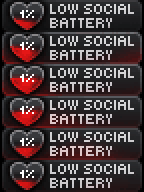 low_social_battery_72x1616 of 300 frames |
 lunch_72x1616 of 540 frames |
 meeting_72x1616 of 525 frames |
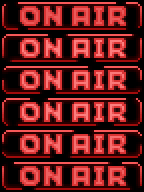 on_air_72x1617 of 181 frames |
 on_call_72x1616 of 121 frames |
 spinner_back_16x168 of 8 frames |
 spinner_front_8x816 of 16 frames |
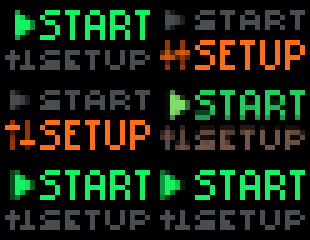 start_menu_31x1617 of 260 frames |
 transition_select_72x1617 of 66 frames |
 wave_invitation_72x1619 of 55 frames |
The timer's own:
 arrow_green_5x515 of 60 frames |
 arrow_red_5x515 of 60 frames |
 ending_particles_72x1616 of 121 frames |
 ending_progress_72x1616 of 106 frames |
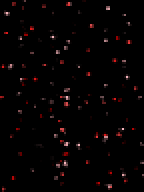 finished_confetti_72x1617 of 181 frames |
 indicator_busy_72x1616 of 1200 frames |
 indicator_busy_transition_72x1614 of 41 frames |
 overview_72x1617 of 135 frames |
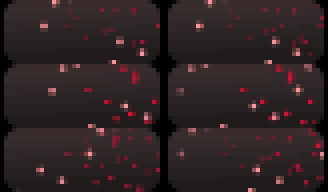 particles_busy_41x1615 of 60 frames |
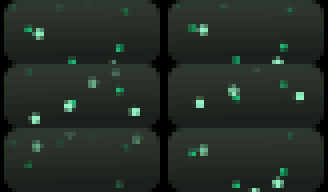 particles_rest_41x1615 of 60 frames |
 progress_busy_41x161 of 1 frames |
 progress_rest_41x2217 of 150 frames |
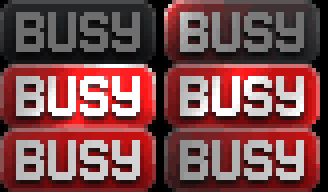 start_logo_busy_41x1615 of 120 frames |
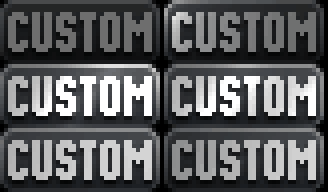 start_logo_custom_41x1615 of 120 frames |
 transition_done_busy_72x1616 of 31 frames |
 transition_done_rest_72x1616 of 31 frames |
 transition_flash_72x1621 of 21 frames |
 transition_oval_72x1614 of 41 frames |
 transition_pause_72x1614 of 41 frames |
 transition_select_green_72x1617 of 66 frames |
 transition_select_red_72x1617 of 66 frames |
 transition_skip_72x1615 of 30 frames |
types.AnimationElement(
    id="10",
    x=0,
    y=0,
    loop=True,
    stock_path="shared/animations/dnd_72x16.anim",
)  # one element of a DisplayElements payload, as above
Sounds
| Stock path | When the firmware uses it |
|---|---|
shared/sounds/calendar_event_starts.snd |
An event is starting |
shared/sounds/calendar_reminder_ends.snd |
A reminder is over |
shared/sounds/volume_change.snd |
The volume moved |
busy/sounds/countdown_tick.snd |
A session's last seconds |
busy/sounds/countdown_finish.snd |
A phase ended |
busy/sounds/session_completed.snd |
The whole session ended |
The first three have short names in notification.STOCK_SOUNDS (event,
reminder, volume) and are what notify(sound=...) takes. The players below
point at the firmware's own WAV sources, so this is what a bar actually plays -
on GitHub they are not shown, since it drops audio players from a rendered
file; the published guide
has them.
| Sound | Used for | |
|---|---|---|
calendar_event_starts |
an event is starting | |
calendar_reminder_ends |
a reminder is over | |
volume_change |
the volume moved | |
countdown_finish |
a phase ended | |
countdown_tick |
a session's last seconds | |
session_completed |
the whole session ended |
Fonts
Text names a font rather than pointing at one: tiny, small, normal,
condensed, bold, large, extra_large, and superscript - which the
firmware added in OpenAPI 27.6 for the raised digits a countdown draws. The
largest do not fit two lines on the front display, which is why
notification.TWO_LINE_FONTS is the shorter list.
Themes
busy/themes/<name>/theme.json - twelve of them, and they are what a session
looks like on the bar. They are chosen by name, not by path:
from busylib.features import timer

await timer.themes(bar)  # what this bar has
await timer.start(bar, theme="meeting")  # for this session only
await timer.set_card_theme(bar, "busy", "dnd")  # from now on
A theme a bar does not have raises UnknownThemeError rather than being
written and silently ignored. See timers.
Your own assets
An application can upload its own, and they are drawn and played the same way
- with one difference worth knowing. Uploads live in
/ext/user_assets/<application>/, and the device resolves a path inside the
folder of the application making the call. So an upload is named by file name
alone, the same name in two applications is two different files, and one
application cannot draw another's:
from busylib import converter
from busylib.features import notification

name, payload = converter.convert_for_storage("logo.png", open("logo.png", "rb").read())
await bar.assets_upload(application_name="my-app", filename=name, data=payload)

await notification.notify(bar, "Deploy done", icon="logo", application_name="my-app")
The size comes from the file - a PNG's IHDR, or the firmware format's own header - because an icon's width is what the text is placed after, and an icon wider than the panel pushes the text off the display. One that does not fit is refused rather than drawn.
Which also means an upload somebody else made - through the BUSY app, the Draw
Tool, another script - is not yours to draw. copy_to_application makes it
yours, byte for byte:
theirs = next(a for a in await assets.discover_assets(bar) if a.name == "logo")
mine = await assets.copy_to_application(bar, theirs, "my-app")
await notification.notify(bar, "Deployed", icon=mine.name, application_name="my-app")
Reading the map from a bar
Firmware adds and removes assets, and an owner can upload their own, so the bar is the only authority:
from busylib.features import assets

for asset in await assets.discover_assets(bar):
    print(asset.kind, asset.name, asset.reference, asset.application)
discover_assets reads both roots and every kind - images, animations,
sounds, fonts and themes - and gives back what to pass in a call:
stock_path for a shipped asset, path for an upload. assets.of_kind(bar,
"image") is the same thing as the name-to-path mapping a picker wants, and
notification.icons(bar) and timer.themes(bar) are the two shorthands for
the lists most often offered to a person. None of them has a copy written down
in the library to go stale.